
The Transmitter and Receiver for the Aries Prime, Pro and Pro+ come paired. If they are not connecting, re-pairing maybe necessary. The transmitters and receivers will only work with their specific models, for example, an Aries Prime transmitter cannot be paired to an Aries Pro+ receiver.
Use the below steps to reconnect the units.
Use the below steps to reconnect the units.
- Press and hold down the Power button on the Receiver and plug in the power adapter. Release the Power button once the power LED blinks orange.

- Plug the power adapter into the Transmitter. Press and hold down the pairing button.
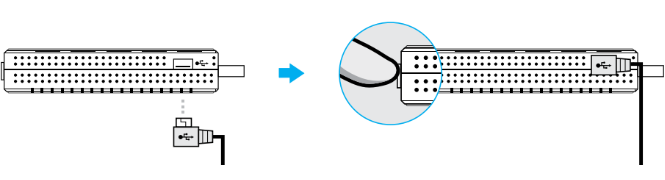
- The Power LED should be flashing white. The white flashing speed will begin to slow down. Once it has slowed down, release power button to enter pairing mode.
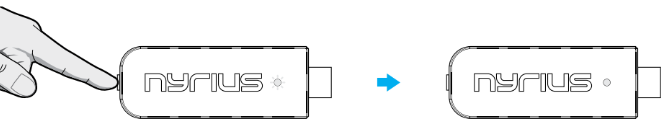
- Once LEDs change to solid white, pairing will be complete.